WEEK SEVEN AND EIGHT
TYPES OF COMPUTER KEYBOARDS
- Ergonomic Keyboard
- Flexible Keyboard
- Gaming Keyboard
- Internet Keyboard
- Laptop Keyboard
- Laser Keyboard
- Mini Keyboard
- Multimedia Keyboard
- Numeric Keyboard
- Portable Keyboard
- Trackball Keyboard
- Wireless Keyboard
Classification By Size
Standard keyboard, laptop-size keyboard, thumb-size keyboard and numeric keyboard.
Standard keyboards are used with PC, laptop-size keyboard come with laptop, not sale alone. Thumb-size keyboard are small enough to be carried to anywhere.
CORRECT SITTING POSITION
How to Sit at a Computer
Sitting at a computer for long periods of time can affect your body. Here are some tips on maintaining good ergonomics and staying comfortable at your desk during the day
Steps
1
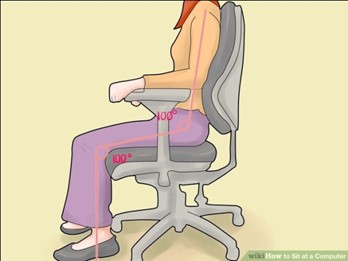 Sit up tall.Push your hips as far back as they can go in the chair. Adjust the seat height so that your feet are flat on the floor and your knees equal to, or slightly lower than, your hips.
2
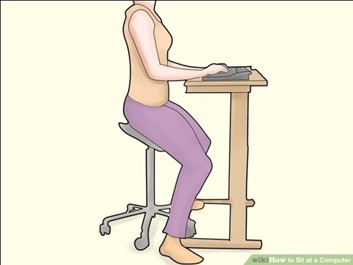 Sit close to your keyboard.Position it so that it is directly in front of your body.
3
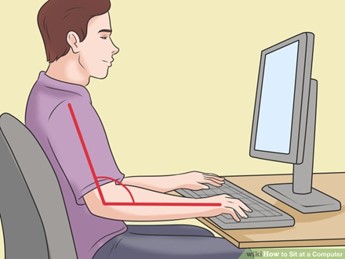 Adjust the keyboard height.Make sure your shoulders are relaxed, your elbows are in a slightly open position, and your wrists and hands are straight.
4
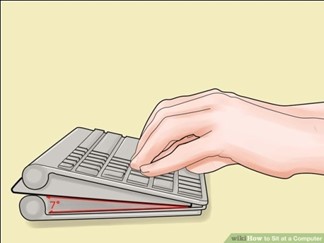 Adjust the tilt of your keyboard based on your sitting position.
5
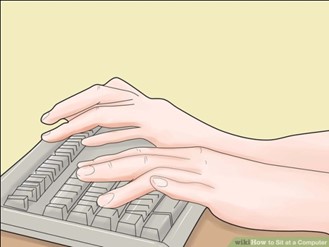 Use wrist rests.They will help maintain neutral postures and pad hard surfaces
6
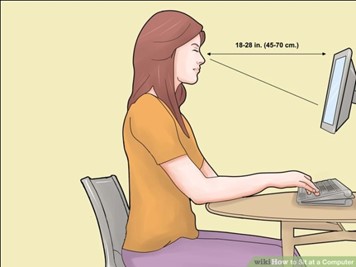 Position your monitor properly. Center the monitor directly in front of you, above your keyboard.
7
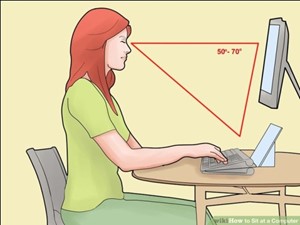 Position the source documents directly in front of you.
8
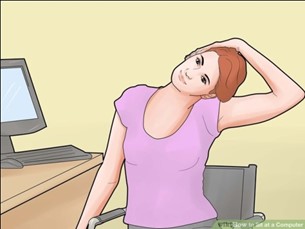
Take short 1-2 minute stretchbreaks every 20-30 minutes. After each hour of work, take a break or change tasks for at least 5-10 minutes. Always try to get away from your computer during lunch breaks.
*.Avoid eye fatigue by resting and refocusing your eyes periodically.
10
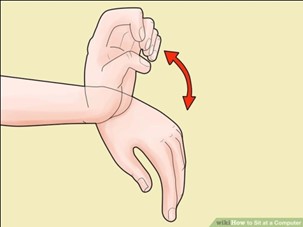 Exercise your hand by pushing on top of your fingers, and using backward resistance movements.
EXSRCISE
1. Mention 5 types of keyboard
2. Describe the correct sitting position while using the computer