COMPUTER STUDIES
FIRST TERM SCHEME OF WORK FOR JSS TWO
| WEEKS | content |
| 1 | REVISION / CLASSIFICATION OF COMPUTERS |
| 2 | THE COMPUTER SYSTEM |
| 3 | HARDWARE COMPONENTS |
| 4 | SOFTWARE |
| 5 | PEOPLE WARE |
| 6 | OPERATING SYSTEM |
| 7-8 | NUMBER BASES |
| 9 | CONVERSION OF NUMBER BASES |
| 10 | UNITS OF STORAGE IN COMPUTER |
| 11 | REVISION |
| 12 | EXAMINATION |

Classification by size
- The following computers are classified by their size
- Micro Computer
- Mini Computer
- Mainframe Computer
- Super Computer
Micro computer
Also personal computer (PC) uses a single microprocessor mounted with memory chips as its central processing units (CPU) .examples of microcomputer are desktop computer, laptops and palmtops.
Mini computer
They are larger than the micro computer in size and in storage capacity. They are stand-alone computers used by business and enterprises for department- level operation.
Mainframe
- They are the largest in range of computers. They are also large in storage capacity. They have multiple chips and can handle large amount of processing and allow many users at a time.
- They make use of the magnetic tape and disk mass data storage purpose
Super computer
- This performs at a speed which is far above that of other computers
- They are sophisticated and powerful .they perform highly complex and time consuming computation faster and speed .

General purpose computer
These are computer designed to perform in a reasonable efficient manner ,the functions required both scientific and business application. They are capable of handling variety of tasks.
Example of the general purpose computer
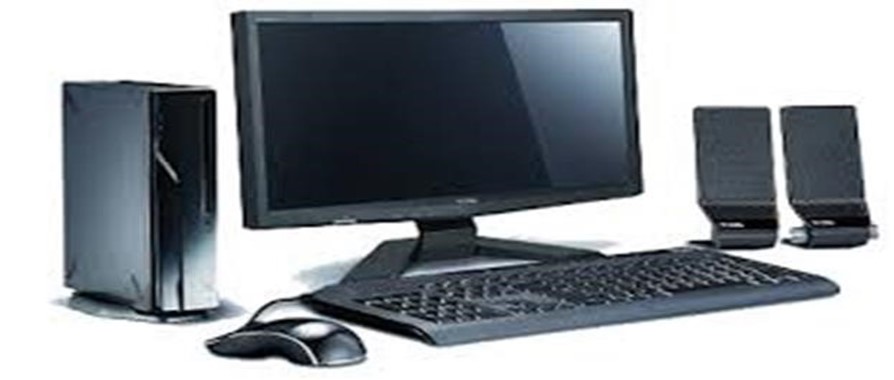
The micro computer
Special purpose computer
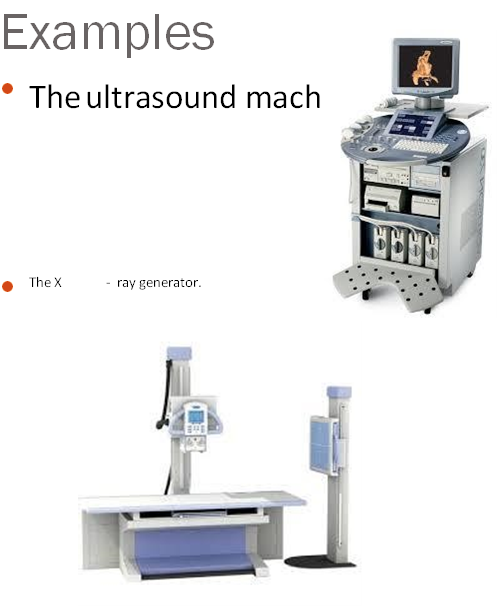
They are computers designed from the scratch to perform a specific function .
THE COMPUTER SYSTEM
THE CONCEPT OF COMPUTER SYSTEM
WEEK 2
- Definition of Computer
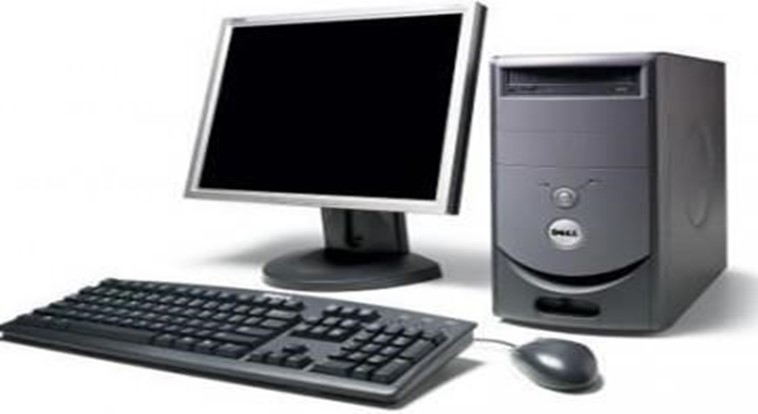
Computer is an electronic device that has the capability to accept data through the keyboard, process it on the system unit and produce meaningful information on the monitor or printer with the aid of a stored program.
Computer can be refer to as Information processor.
- Computer as a device accept data that is being inputted into it through the keyboard or any other input device; it then takes the data for processing and displays the result in the form of information
Therefore ,in a computer system ,there are three subsystems and they are
- Input
- Processing
- Output


Whatever that is being entered into the computer as input determine the output .
This brings us to a term in computer ; Garbage in, Garbage out (GIGO)
COMPONENTS OF A COMPUTER SYSTEM
There are three components of a computer system which will determine the performance of the computer. They are
- Hardware
- Software
- People-ware

Definition
- The hardware components is the physical parts of the computer which can be touched and seen. The computer hardware is responsible for performing four basic functions.:-
- Input
- Processing
- Output
- storage
- The hardware also includes
- The CPU which comprises of the ALU, control unit and the memory unit
- Input devices
- Output devices
The central processing unit (CPU)
- It is solely responsible for the processing of data and instructions in the computer system.it encompasses the following
- Arithmetic And Logic Unit –
Which handles arithmetic and logical operations such as addition, subtraction, multiplication, division etc.
- Control Unit –
This controls all other parts ,components of the system by issuing instructions In form of signals.
- Memory Unit-
stores data and instructions that is about to be processed. There are 2 major types of storage
a. PRIMARY STORAGE
The primary storage is divided into the following
- ROM (Read Only Memory)
- RAM (Random Access Memory)
ROM
I. ROM(Read only memory):- once this memory is programmed ,it can not be rewritten.it contains the Boot record
RAM
RAM(Random Access Memory) :- the computer can read from this memory, store/write on it
SECONDARY STORAGE
They store information/data/programs permanently. They are mainly used for backup. Examples are magnetic tapes/disks, floppy disk, Compact disk, flash drive, zip drive, hard drive etc.
Input devices
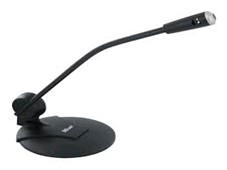
- These are used to communicate with the computer. They are devices through which data is sent into the computer system .Examples of these devices are mouse, joystick, digital camera, web camera, light pen, keyboard.
- Scanner mouse microphone

 light pen web camera touch screen
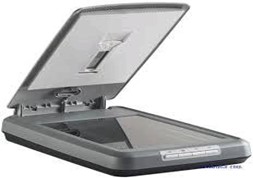
 light pen web camera touch screen
- Joystick keyboard
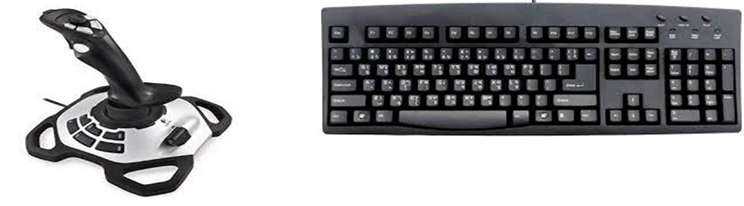
Output devices
- These are devices that the computer uses to bring out result o information. They are responsible for the display or output of the processed data .
- Examples of output devices are
- Monitor Printer Projector
 Plotter

 Plotter

- Software is the collection of computer programs, procedures and documentation that perform different tasks on the computer system.
- The software is a program written by a programmer of software developer.
- A program is a list of instructions given to the computer to perform a particular task.
Types of software
1. SYSTEM SOFTWARE
This is a computer software designed to operate the computer hardware and to provide and maintain a platform for running application software.
There are 2 major types of system software
a) The operating system :- it runs on the computer, manages the computer hardware, controls and co-ordinates all activities within the computer system. Example of operating system is the MS windows.
2. Utility Software:-
They are system software designed to help analyze, configure ,optimize, and maintain the computer system.
Examples of Utility software are -Antivirus, Disk compression, ScanDisk, BackUputilities, Norton Utilities.
Application Software
These are software designed to perform specific functions. The application software is written to solve a particular problem. Examples are
- Word processing software :- (e.g. MS Word) it is used to create and edit documents such as letters, reports ,letter-head etc.
- spreadSheeet Software :- (eg MS Excel)are used for mathematical ,statistical ad accounting purpose.
- Graphical Software (e.g. Corel draw, MS Paint) :- are used for graphic works such as drawing, Painting and artistic images . 4. Database Management Software (e.g. MS Access) this is used to keep records such as student’s name ,class, age, etc.
- Games software (e.g.. Car Race,football) :- they are used for entertainment and relaxation purpose.
- Presentation Software ( e.g. MS power point ) : they are used for displaying information in slides. They are used for educational purpose, presentation and seminar, entertainment, teaching etc.
- People ware can refer to anything that has to do with the role of people in the development or use of computer software and hardware systems.people ware can be divided into two distinct groups such as :
- Computer Professionals
- Computer Users
Computer Professionals
- These are individuals who have in one way or the other acquired formal education or training in the use of computers e.g.
- Computer Managers
- Computer Programmers/software Developers
- Computer operators
- Computer Engineers
- System Analyst
- Software Engineers
- Database Administrators.
Computer Users
- These are the group of people who make use of the computer systems in discharging their day to day activities.
- We can simply say they are people who work with the computer. These people May not have any formal training in computer but can engage the services of some computer professionals
Definition
An operating system (OS) is system software that manages computer hardware and software resources and provides common services for computer programs. The operating system is a component of the system software in a computer system. Application programs usually require an operating system to function.
Examples of operating system
- MS-DOS-(Micro soft disk operating system) a simgle user OS
- Mac OS
- IBM OS/2 Warp
- Unix and Variants
- Windows CE
- Windows 3.x
- Windows 95
- Windows 98
- Windows 98 SE
- Windows ME Windows NT
- Windows 2000
- Windows XP
- Windows Vista
- Windows 7
- Windows 8
- Windows 8.1
- Novell Netware -a multi-user operating System
Functions of the operating system
1. . Resource allocation- it allocate recourses such as CPU time, main memory, secondary storage, input, and output device.
- System Monitoring -it monitors jobs submitted for execution to ensure efficient processing
- Input/output-it co-ordinates different input and output devices
- Memory management-
- File management-it help in storage, changing and modification of files.
- Interpretation of commands and instructions
- Co-ordination of compilers, assemblers, utility programs, and other software
- Facilitate easy communication between the computer system and the computer operator(human).

INTRODUCTION
- Representation of data in the computer make use of number system.
- When the data and instruction is entered into the computer, the computer will convert it into machine language i.e. 0’s and 1’s which are called binary digits
Numbers Bases system
- There are different number base systems. These are
- Decimal Number system ( Base Ten)
- Binary Number system ( Base Two)
- Octal Number system ( Base Eight)
- Hexadecimal Number system ( Base 16)
Terms in Number base system
- Bases – the base of a number indicates the absolute values use in the system. E.g. in
Decimal there are ten absolute values represented by 0,1,2,3,4,5,6,7,8,9
- Absolute values :- denotes whole numbers represented by a figure e.g. 6,7,8,4,5 etc.
- These are values assigned to digits denoting their position. E.g. 26 25 24 23 22 21 20
Exponents
- 20 = 1
- 21 = 2
- 22 = 2 x 2 =4
- 23 = 2 x 2 x 2 = 8
- x5 * x10 = x 10 + 5 = x15
- 1 / x2 = x -2
Decimal Numbering systems
- Base: 10
- Digits: 0, 1, 2, 3, 4, 5, 6, 7, 8, 9
- Representation
5234
Thousands Hundreds Tens Units
5 2 3 4
Binary Numbering systems
- Base: 2
- Digits: 0, 1
- binary number: 1101012
positional powers of 2: 25 24 23 22 21 20 decimal positional value: 32 16 8 4 2 1 binary number: 1 1 0 1 0 1
Binary to Decimal Conversion
To convert to base 10, add all the values where a one digit occurs.
Ex: 1101012
positional powers of 2: 25 24 23 22 21 20 decimal positional value: 32 16 8 4 2 1 binary number: 1 1 0 1 0 1
32 + 16 + 4 + 1 = 5310
Assignment :-Binary to Decimal Conversion
1010112
positional powers of 2: 25 24 23 22 21 20 decimal positional value: binary number:
Binary to Decimal Conversion
Ex: 1010112
positional powers of 2: 25 24 23 22 21 20 decimal positional value: 32 16 8 4 2 1 binary number: 1 0 1 0 1 1
32 + 8 + 2 + 1 = 4310
Decimal to Binary Conversion
The Division Method. Divide by 2 until you reach zero, and then collect the remainders in reverse.
Ex 1: 5610 = 1110002
| 2 ) 56 | Rem: |
| 2 ) 28 | 0 |
| 2 ) 14 | 0 |
| 2 ) 7 | 0 |
 2 ) 3 1
2 ) 1 1 0 1
Decimal to Binary Conversion
Ex 2: 3510 =
2 ) Rem:
2 ) 2 )
2 ) 2 )
2 )
Answer: 3510 = 2
Octal Numbering systems
- Base: 8
- Digits: 0, 1, 2, 3, 4, 5, 6, 7
- Octal number: 12468
powers of : 84 83 82 81 80 decimal value: 4096 512 64 8 1 Octal number: 1 2 4 6
Octal to Decimal Conversion
To convert to base 10, beginning with the rightmost digit multiply each nth digit by 8(n-1), and add all of the results together.
Ex: 12468
positional powers of 8: 83 82 81 80 decimal positional value: 512 64 8 1
Octal number: 1 2 4 6
512 + 128 + 32 + 6 = 67810
Assignment :-Octal to Decimal Conversion
Ex: 103528
positional powers of 8: 84 83 82 81 80 decimal positional value:
Octal number:
Decimal to Octal Conversion
The Division Method. Divide by 8 until you reach zero, and then collect the remainders in reverse.
Ex 1: 433010 = 103528
8 ) 4330 Rem:
8 ) 541 2
 8 ) 67 5 8 ) 8 3
8 ) 1 0
0 1
Decimal to Octal Conversion
Ex 2: 81010 =
8 ) 810 Rem:
8 ) 8 )
8 )

Answer: 81010 = 8
Hexadecimal Numbering systems
- Base: 16
- Digits: 0, 1, 2, 3, 4, 5, 6, 7,8,9,A,B,C,D,E,F
- Hexadecimal number: 1F416
powers of : 164 163 162 161 160 decimal value: 65536 4096 256 16 1 Hexadecimal number: 1 F 4
HFourexad-bit Groupecimal NumbDecimal Digit
ering sy Hexadecimal Digitstems
0000 0 0
0001 1 1
0010 2 2
0011 3 3
0100 4 4
0101 5 5
0110 6 6
0111 7 7
- 8 8
- 9 9
1010 10 A 1011 11 B
- 12 C
- 13 D 1110 14 E
1111 15 F
Hexa to Decimal Conversion
To convert to base 10, beginning with the rightmost digit multiply each nth digit by 16(n-1), and add all of the results together.
Ex: 1F416
positional powers of 16: 163 162 161 160 decimal positional value: 4096 256 16 1
Hexadecimal number: 1 F 4
256 + 240 + 4 = 50010
Hexa to Decimal Conversion
Ex: 7E16
positional powers of 16: 163 162 161 160 decimal positional value:
Hexa number:
Decimal to Hexa Conversion
The Division Method. Divide by 16 until you reach zero, and then collect the remainders in reverse.
| Ex 1: | 12610 = 7E16 |
| 16) 126 | Rem: |
| 16) 7 | 14=E |
| 0 | 7 |
Decimal to Hexa Conversion
Ex 2: 81010 =
16 ) 810 Rem:
16 )
16 )

Answer: 81010 = 16
Addition Rules
- 0 + 0 = 00 ( 0 with a 0 carry )
- 0 + 1 = 01 ( 1 with a 0 carry )
- 1 + 0 = 01 ( 1 with a 0 carry )
- 1 + 1 = 10 ( 0 with a 1 carry )
Addition Rules
0 1 0 1

Addition Rules w/Carries
- 0+0+0 = 00 (0 WITH 0 CARRY)
- 0+0+1 = 01 (1 WITH 0 CARRY)
- 0+1+1 = 10 (0 WITH 1 CARRY)
- 1+1+1 = 11 (1 WITH 1 CARRY)
Adding Binary Numbers
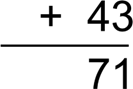
0 1 1 1 0 0 0
28 ⎯→ 00011100
 ⎯→
⎯→
+ 00101011
0 1000111
Subtraction in Binary
- Rules of Binary Subtraction
- 0 – 0 = 0
- 0 – 1 = 1, and borrow 1 from the next more significant bit
- 1 – 0 = 1
- 1 – 1 = 0
For example,
00100101 – 00010001 =
00010100
0 borrows
0 0 1 10 0 1 0 1 = 37(base 10)
00110011 – 00010110 =
00011101
– 0 0 0 1 0 0 0 1 = 17(base 10)

0 0 0 1 0 1 0 0 = 20(base 10)

0 10 1 borrows
0 0 1 1 0 10 1 1 = 51(base 10)
– 0 0 0 1 0 1 1 0 = 22(base 10)

 0 0 0 1 1 1 0 1 = 29(base 10)
Binary Multiplication
- Rules of Binary Multiplication
- 0 x 0 = 0
- 0 x 1 = 0
- 1 x 0 = 0
- 1 x 1 = 1, and no carry or borrow bits
For example,
00101001 × 00000110 = 11110110 0 0 1 0 1 0 0 1 = 41(base 10)
× 0 0 0 0 0 1 1 0 = 6(base 10)

0 0 0 0 0 0 0 0
0 0 1 0 1 0 0 1
0 0 1 0 1 0 0 1

 0 1 1 1 1 0 1 1 0 = 246(base 10)
 0 1 1 1 1 0 1 1 0 = 246(base 10)
00010111 × 00000011 = 01000101 0 0 0 1 0 1 1 1 = 23(base 10)
× 0 0 0 0 0 0 1 1 = 3(base 10)

- 1 1 1 1 carries
0 0 0 1 0 1 1 1
0 0 0 1 0 1 1 1

0 0 1 0 0 0 1 0 1 = 69(base 10)
Definition
Computer data storage, often called storage or memory, is a technology consisting of computer components and recording media used to retain digital data.
The computer memory is a storage location where data and information are kept. The main memory Is divided into two namely:
- ROM (Read only memory)
- RAM (Random Access Memory)
Computer understands “0”s and “1”s which are referred to as binary. The “0” stand for OFF and “1” ON meaning electrically discharged and charge state respectively.
- The various unit of storage are as follows
- Bit :- (binary digit)it is the smallest unit of data/information. E.g. 11011 Nibble:- it is a unit storage that is made up of 4 bits (or half of an octal).
- Byte :-this is the smallest unit of information that can be processed.it is an orderly collection of bits, equivalent to 2 nibbles or 8bits (11001101)
- Kilobyte :- is use to measure memory space (or memory units)
- 1000 byte (approx.)=1 kilobyte
- The following are conversion rate of unit of storage
- 8bits = 1 byte
- 1024 bytes = 1kilobyte (thousands)
- 10242 bytes = 1 megabyte (millions)
- 10243 bytes = 1 Gigabyte (billions)
- 10244 Bytes = 1 terabyte (trillions)
Word
A word is the smallest unit of information, that can be transferred at a time. A word is made up of two bytes I.e. 4 nibbles or 16 bits
Double word
- Double word
- This is equivalent to 2 words which is 4 bytes (32 bits)
Quad Word
This is equivalent to 4 words I.e. 2 double words . Which is 8 bytes (64 bits).